Validation
We recommend using a dataclass and validating with the Annotated keyword. Here, we use the Validation type.
from typing import Annotated
from mininterface.validators import not_empty
from mininterface import Validation

@dataclass
class Env:
    test: Annotated[str, Validation(not_empty)] = "hello"
Under the hood, this is just a Tag.
Why did we use it inside an Annotated statement? To preserve the data type.
mininterface.validators
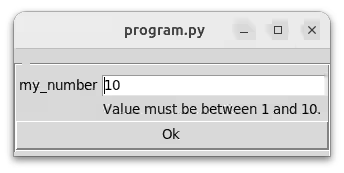
Functions suitable for Tag validation. When the user submits a value whose validation fails, they are prompted to edit the value.
m = run()
my_dict = m.form({"my_text", Tag("", validation=validators.not_empty)})
my_dict["my_text"]  # You can be sure the value is not empty here.
Note that alternatively to this module, you may validate with Pydantic or an attrs model.
from pydantic import BaseModel, Field

class MyModel(BaseModel):
    restrained: str = Field(default="hello", max_length=5)
import attr
from attr.validators import max_len

@attr.s
class AttrsModel:
    restrained: str = attr.ib(default="hello", validator=max_len(5))
not_empty(tag)
Ensures that the user has entered a value and did not leave the field empty.
from mininterface import Tag, validators, run

m = run()
m.form({"my_text": Tag("", validation=validators.not_empty)})
# User cannot leave the string field empty.
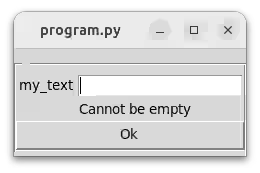
When submitting an empty value, a warning appears:
Note that for Path, an empty string is converted to an empty Path('.'), hence '.' too is considered as an empty input and the user is not able to set '.' as a value. We do not consider this a bad behaviour as in CLI you clearly see the CWD, whereas in a UI the CWD is not evident.
Parameters:
| Name | Type | Description | Default |
|---|---|---|---|
tag |
Tag
|
|
required |
limit(maxOrMin=None, max_=None, lt=None, gt=None, transform=False)
Limit a number range or a string length.
Either use as limit(maximum) or limit(minimum, maximum).
Parameters: